Blog / Guide

75 Clever Photo Scavenger Hunt Ideas for Every Occasion

Discover 75 photo scavenger hunt ideas with creative prompts, scoring methods, and setup tips for teams, students, parties, trips, and memorable events.
SC
The Scavify Team
Updated August 14, 2026 · 17 min read
75 Clever Photo Scavenger Hunt Ideas for Every Occasion

A great photo scavenger hunt takes a simple mechanic and turns it into connection on demand. People move. They notice details. They collaborate under light constraints. The camera is just the excuse. The real outcome is energy and stories your group will actually remember.

After running thousands of hunts across offices, campuses, conferences, museums, parks, and city blocks, a pattern keeps showing up: specific prompts beat vague ones, short timeboxes beat open‑ended play, and a visible stream of submissions turns even quiet groups into contributors. The list below packages what works into 75 ready‑to‑use photo prompts plus the practical scaffolding that makes the whole thing run smoothly.

You can launch this with paper and phones in an hour. Or you can use a hunt app to automate the pieces that usually bog organizers down: scoring, live galleries, and judging. Either way, the ideas here will carry you.
Teams capturing creative photos during a scavenger hunt across indoor and outdoor spaces

Why photo scavenger hunts work

A photo scavenger hunt is a time‑boxed game where players complete prompts by taking and submitting photos that prove they did the thing, found the item, or reached the location. The mechanic is light, but the effect is reliable: it converts passive attendance into visible participation.

In short windows, simple gamification elements like points, progress indicators, and leaderboards can nudge more people to try the next prompt. The trick is restraint. Use them to spotlight momentum, not to dominate the experience. A broad research synthesis found that thoughtfully designed gamification can lift engagement, especially for short, well‑scaffolded activities. Add it with intent, then get out of the way. A systematic review of gamification and engagement collects the patterns and the caveats. (journals.plos.org)

  • Strong prompts with visible outcomes beat vague instructions every time.
  • 30–45 minutes is a sweet spot for offices; bigger venues can stretch longer.
  • Keep judging light; use completion points with small creativity bonuses.
  • Make policies clear up front for museums, outdoor spaces, and social sharing.
  • A public live gallery turns quiet participants into contributors fast.

How a photo scavenger hunt runs

  • Set scope: Where people can go, how long they have, and what counts as proof.
  • Publish prompts: A curated list with a mix of quick wins and creative shots.
  • Play and submit: Individuals or teams capture and upload photos to claim points.
  • Track progress: A live feed keeps energy up while a leaderboard signals pace.
  • Wrap with recognition: Spotlight favorites, announce winners, and ship the recap.

Nobody quits a game they are winning. Design the first prompt to be an easy win.

Safety, consent, and setting rules that keep you out of trouble

Museum galleries and natural areas welcome respectful visitors but set boundaries for gear and staging. Many museums allow non‑flash, handheld photography for personal use while restricting tripods, selfie sticks, and staged shoots. The Met’s guidelines are a representative example, including a clear limit on unauthorized staged photography and bulky equipment. Read the policy for your venue and state it in your rules. The Met’s visitor guidelines summarize what is and is not allowed, including non‑flash personal photography. (metmuseum.org)

If your hunt heads outside, anchor it to minimal‑impact habits. Participants should stick to trails, respect wildlife, and take photos without moving natural objects. Point people to the Seven Principles and keep the tone practical, not preachy. Leave No Trace’s seven principles and a concise USFS summary are good one‑page reminders to build into your brief. (lnt.org)

For urban museums specifically in Washington, DC and beyond, the Smithsonian’s guidance is consistent: personal, noncommercial handheld photos are generally OK unless signage says otherwise, and support gear like tripods and selfie sticks is restricted. Link your players to the central policy page if you’re using multiple Smithsonian sites. Smithsonian entry and photography guidelines cover the essentials in one place. (si.edu)

If photos will be posted publicly, treat endorsements and reviews correctly. Disclose material connections clearly and avoid any tactics that distort review quality or authenticity. The FTC’s long‑standing Endorsement Guides lay out what “clear and conspicuous” means, and the agency finalized a rule in 2024 banning the sale or purchase of fake reviews with civil penalties for violators. Use the guides, and keep contests and UGC programs clean. Start with the FTC’s plain‑language resource and the 2024 press release. Endorsements, influencers, and reviews and the FTC’s final rule banning fake reviews are the right anchors to cite in your instructions. (ftc.gov)

Watch out Staged photo shoots with props, lights, or blocking pathways are often prohibited in museums and can get your group removed. Spell this out up front.

One more consent note. If your prompts involve other people who are not part of your event, get permission first, skip kids entirely unless guardians consent, and provide a private opt‑out path for participants who prefer not to be photographed. A single sentence in your kickoff and on your prompt list goes a long way.

Office and team building photo prompts

Fast to organize, high on laughs, and surprisingly good for showing how people collaborate under light constraints. Keep zones compact so groups cross paths and see each other’s ideas.

  • Recreate a company value using only office supplies.
  • Everyone wears something not meant to be a hat, confidently.
  • Match a coworker’s pose in a reflection, same face, same angle.
  • Before/after: whiteboard brainstorm in exactly ten minutes.
  • Team initials spelled with shadows on a conference table.

New‑hire onboarding photo prompts

Use prompts to introduce people, places, and rituals that matter. Pair each new hire with a veteran for at least one challenge.

  • “Where decisions happen” selfie with a veteran teammate.
  • Hold an artifact from the org’s early days, plus its year.
  • Your first-week desk setup, with one unexpected comfort item.
  • Meet a cross‑functional neighbor and trade role one‑liners.
  • Find the quiet room and capture its best feature respectfully.

Conferences and trade shows photo prompts

Hunts are excellent mixers. Keep walking distances short and design prompts that require interaction beyond small talk.

  • Two attendees from different countries mirroring the same gesture.
  • Photobomb a mascot or installation with permission and style.
  • The event acronym formed with people, readable in one frame.
  • A swap: trade swag with another team and document the deal.
  • A booth demo in a single expressive reaction shot.

Campus orientation and student life photo prompts

Mix tradition with discovery. Push beyond the postcard stops and into student‑only micro‑spots.

  • The spot every tour guide mentions but few visit, no plaque.
  • Team pyramid in front of the building with the most windows.
  • High‑five someone who works on campus but not for the school.
  • Your student ID reflected in something that is not a mirror.
  • Three campus sounds represented visually in one frame.

K‑12 classroom photo prompts

Short, structured, and teacher‑approved. Keep everything inside the room or a known hallway.

  • Find a class rule and act it out with a silly pose.
  • Three objects that rhyme when named aloud, in one shot.
  • A book spine color gradient from light to dark.
  • Everyone’s shadow forming the school initials on the floor.
  • A perfect square made by classmates’ hands, no speaking.

City explore photo prompts

Design for movement and variety. Reflection shots and forced perspective play especially well downtown.

  • A reflection that shows a landmark without the landmark itself.
  • All teammates touching something older than the stadium.
  • Kindness in action: permissioned help between strangers.
  • A sign that unintentionally becomes poetry.
  • Team levitates: everyone safely off the ground at once.

Museum‑friendly photo prompts

Keep to handheld, non‑flash, no staging. Use body language near art, never touching.

  • Mimic a sculpture’s pose, hands behind backs, no touching.
  • Three artworks sharing a color, arranged as a gradient.
  • A frame within a frame: capture art through a doorway.
  • A repeating pattern found in architecture, labeled with a finger.
  • A quiet smile reflected in a display case, no flash, no faces.
Teams exploring a city and museum with creative photo prompts

Outdoor and parks photo prompts

Anchor play to trails and durable surfaces. Ask for textures, shadows, and scale tricks that do not disturb habitat.

  • Three textures found within five steps of each other.
  • Forced perspective: make a small rock look gigantic.
  • A leaf shadow that looks like something else entirely.
  • An animal in frame without leaving trail or changing pace.
  • Your team’s initials drawn only with sunlight and shade.

Tourism and visitor photo prompts

Great for DMOs and attractions. Mix iconic anchors with neighborhood details tourists usually miss.

  • Iconic landmark from a fresh angle that locals would recognize.
  • A “locals only” food spot, with a candid reaction face.
  • Public art plus a stranger’s permissioned pose echo.
  • Historic marker that changes how you see today’s street.
  • A postcard view made better by a human moment.

Parties and birthdays photo prompts

Keep it playful and fast. Your job is to create easy wins people actually want to share later.

  • Spell the honoree’s name using found letters.
  • Recreate a childhood photo using whatever is nearby.
  • The best cake‑crumb smile, no mess on the floor.
  • A perfectly synchronized toast without spilling.
  • A guest’s hidden talent, captured in one frame.

Holidays and seasonal photo prompts

Lean into decor, color, and mood without requiring props.

  • An everyday object repurposed as festive decor.
  • Team bodies spelling a holiday word, readable.
  • A winter reflection that looks like a painting.
  • A neighborly gesture that fits the season’s spirit.
  • A color‑only shot dominated by one festive hue.

At‑home or virtual photo prompts

Perfect for hybrid teams and remote classes. Make shots doable within arm’s reach.

  • A two‑frame story: problem, then plot twist.
  • Your workstation’s coziest corner, shown without faces.
  • A household object doing an unexpected job, safely.
  • A reflection portrait using only windows or spoons.
  • Three items that rhyme when named out loud.

Road trip photo prompts

Gas stations, overlooks, and odd roadside attractions are perfect backdrops. Keep stops brief.

  • A town sign with a name that sounds like a verb.
  • The highest safe viewpoint within five minutes.
  • A diner neon reflection that frames your team.
  • A postcard rack that tells a story in three cards.
  • A forced‑perspective shot with a distant landmark.

Brand activation photo prompts

Sponsors love authentic context. Keep it human, not glossy.

  • Brand colors found in the wild, arranged in order.
  • Product silhouette recreated with people.
  • Letters of the brand name discovered in architecture.
  • Community impact: brand visible near a local good thing.
  • A before/after that shows the brand promise in action.

Social‑media‑friendly photo prompts

Think looping motion and strong shapes. If prizes or endorsements are involved, make disclosures unavoidable and plain‑language per FTC guidance. FTC endorsement guidance is the north star for brand‑linked sharing. (ftc.gov)

  • A boomerang‑style looping moment that tells today’s story.
  • An overhead symmetry shot that stops the scroll.
  • A reflection portrait where faces are abstracted.
  • A color wall your team becomes part of, without props.
  • A candid high‑five with permission, captioned in three words.

Scoring models that keep play fair and fun

Most hunts work best with four point bands by difficulty and a light creative bonus when a team elevates the idea. This keeps momentum high and judging simple.

  • Banding: Use 200/250‑point prompts to signal easy vs creative lifts. Save manual judging for a handful of “showcase” shots.
  • Bonuses: Award a small creativity bonus to nudge extra effort without starting arguments.
  • Tie‑breakers: Earliest submission time, fewest hints used, or best caption are clean, visible deciders.
  • Anti‑cheat: Require contextual elements in the frame or pair specific prompts with GPS/QR evidence.
Pro tip Make the first two prompts guaranteed wins. Visible early points reduce drop‑off and set a playful tone for the rest of the hunt.

Momentum levers that keep energy high

  • Drop a halftime unlock. Release one or two surprise prompts mid‑game to spike motion.
  • Keep a live gallery visible. A rolling feed gets quieter players to contribute.
  • Seed a rivalry. Friendly head‑to‑head sprints on a single prompt wake up the room.
  • Call a two‑minute blitz. Short timed windows reset pace and attention.
  • Name the finish. Promise a closing showcase so people care about quality.

Accessibility and inclusion, baked in

  • Offer alternatives. Mirror every movement‑based prompt with a stationary option.
  • Respect privacy. Provide a no‑faces variant and a way to opt out of public galleries.
  • Design for mobility. Keep distances compact and routes step‑free when possible.
  • Mind sensory load. Avoid loud or crowded bottlenecks for any required shot.
  • Use plain language. Write prompts that are clear without insider jargon.

Photography tips that instantly upgrade shots

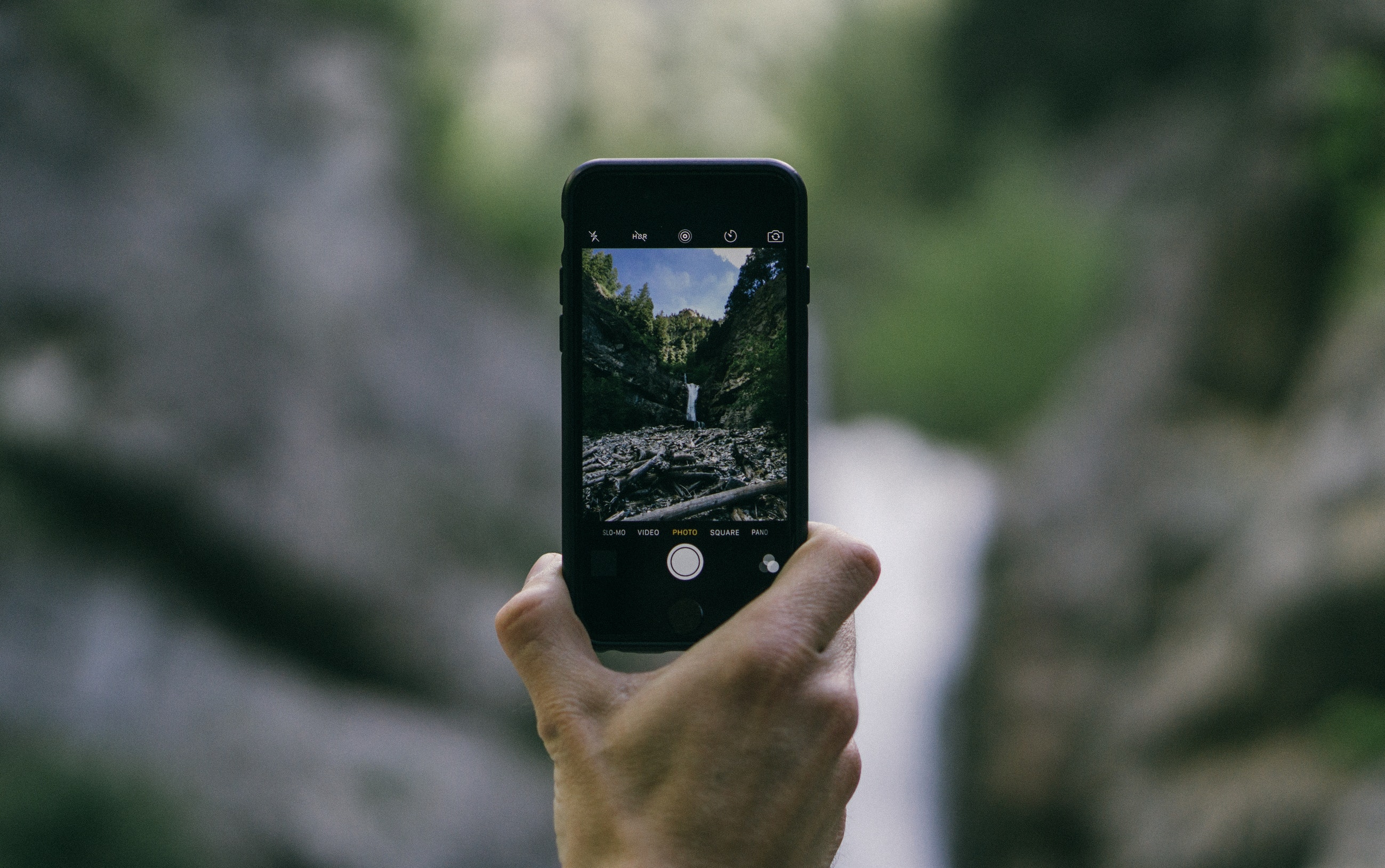
If you do nothing else, turn on gridlines and horizon leveling. The rule of thirds and a level horizon clean up composition fast, especially for non‑photographers. iPhone and Pixel both include helpful on‑screen guides. Point players to their phone’s support pages right in your brief. Apple’s camera tools overview shows how to enable grids and related helpers, and Google’s Pixel Camera help covers horizon leveling and other quality‑of‑life features. (support.apple.com)

  • Fill the frame: Get close enough that the subject matters without overexplaining.
  • Mind the background: Scan edges for clutter, trash cans, or passersby mid‑blink.
  • Use people for scale: Especially outdoors and in cities, a human figure makes the story land.
  • Chase good light: Face toward indirect light or capture silhouettes for drama.
  • Hold still: Two seconds of patience equals a sharper, happier gallery.

Facilitator playbook: before, during, after

Before the event

  • Define zones you will allow, plus any museum or outdoor rules to observe.
  • Build 12–20 prompts with mixed difficulty; tag 3–5 as optional bonus shots.
  • Decide judging: auto‑complete most prompts, with quick accept/deny for edge cases.
  • Write your consent note and any social‑sharing instructions, including brand disclosures. For brand‑linked sharing, align with the FTC’s endorsement guidance and keep disclosures unmissable. FTC guidance on endorsements and reviews. (ftc.gov)

During the event

  • Kick off with a one‑minute demo: show a model photo and how to submit.
  • Announce a halftime unlock to re‑energize players when pace dips.
  • Keep the live feed visible and nudge teams stuck on the same prompt.

After the event

  • Showcase top shots on a screen and hand out light‑touch awards like Best Composition, Funniest Recreation, and Team Spirit.
  • Share a recap album within 24 hours and ask for candid feedback.
  • If you solicit public reviews, avoid anything that could resemble “incentivized positives.” The FTC’s 2024 rule bans fake reviews and allows civil penalties for knowing violations. FTC press release on the final rule. (ftc.gov)

Manual lists vs app‑based hunts: a quick comparison

What you manageApp‑based photo huntManual list & text thread
Time to launchMinutesHours
Photo submissions & live galleryAll in one placeScattered in multiple chats
Scoring & tie‑breakersAuto points with quick reviewManual, error‑prone
Location rules & confirmationsOptional GPS or QR checksTrust only
Scale to 100+ playersStableBottlenecks likely
Brand prompts & recap albumBuilt inDIY effort

Run this in Scavify

If you want everything in one place, Scavify makes photo hunts simple to launch and run at scale without babysitting every submission.

  • Photo submissions: Teams upload directly from the app or browser. You control which challenges require photos, GPS check‑ins, QR scans, or trivia.
  • Live activity feed: A rolling gallery keeps energy up as great shots appear in real time.
  • Judging workflow: Auto‑complete simple prompts; approve edge cases with quick accept or deny.
  • Leaderboard: Real‑time scoring with optional bonuses and hidden multipliers for competitive formats.
  • Bonus challenges: Time‑released or location‑triggered twists keep veterans on their toes.
  • Branded missions: Add your logo, colors, and sponsor prompts without turning the event into an ad.

We built Scavify for flexible scale, from a 20‑person new‑hire cohort to a multi‑thousand‑person conference. Use the app or run entirely in the browser.

FAQs

How many prompts should I include? Aim for 12–20 total with a mix of quick wins and 2–3 creative anchors. That range keeps momentum without overwhelming players.

What team size works best? Pairs to quads move fastest and coordinate easily. Larger groups can work, but assign roles like photographer, navigator, storyteller, and judge liaison to avoid stand‑and‑watch dynamics.

How long should a hunt last? For offices and orientations, 30–45 minutes is the sweet spot. City or campus formats can run 60–90 minutes with route choice and optional bonus prompts.

Can we run this indoors only? Absolutely. Focus on pose‑based, pattern, reflection, and storytelling prompts to avoid crowding and logistics. If you enter museums, check policies and skip flash or staging. The Met’s policy is a representative reference for non‑flash personal photography. See The Met’s guidelines. (metmuseum.org)

What about consent and social media? Tell participants how photos will be used and offer a no‑faces option. For brand‑tied sharing or prizes, follow the FTC’s Endorsement Guides so disclosures are clear and unavoidable. FTC endorsement guidance. (ftc.gov)

How do we prevent cheating? Write prompts that require creativity or context clues in the frame. Use live feeds, spot audits for top scores, and GPS or QR confirmations for specific tasks.

What prizes work without warping behavior? Keep it light: a framed winning photo, a roaming team trophy, extra break time, or VIP seats at the next all‑hands. The recognition moment matters more than the dollar value.

Can this run virtually or hybrid? Yes. Use prompts that can be done at home or nearby, submit via app or browser, and celebrate on a live feed so remote and onsite teams feel part of the same story.


Building a Scavenger Hunt?

Scavify is the world's most interactive and trusted scavenger hunt app. Contact us today for a demo, free trial, and pricing.