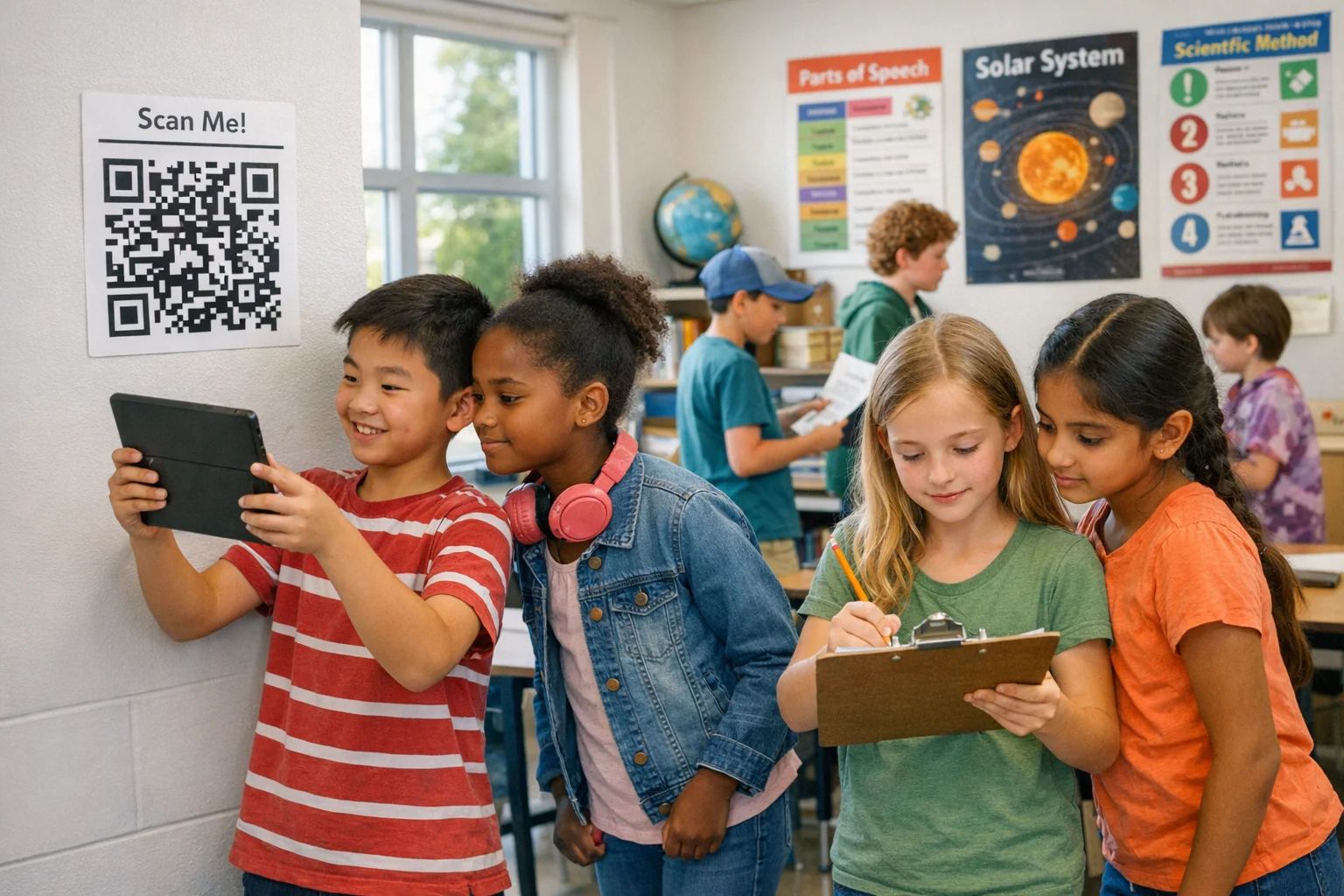
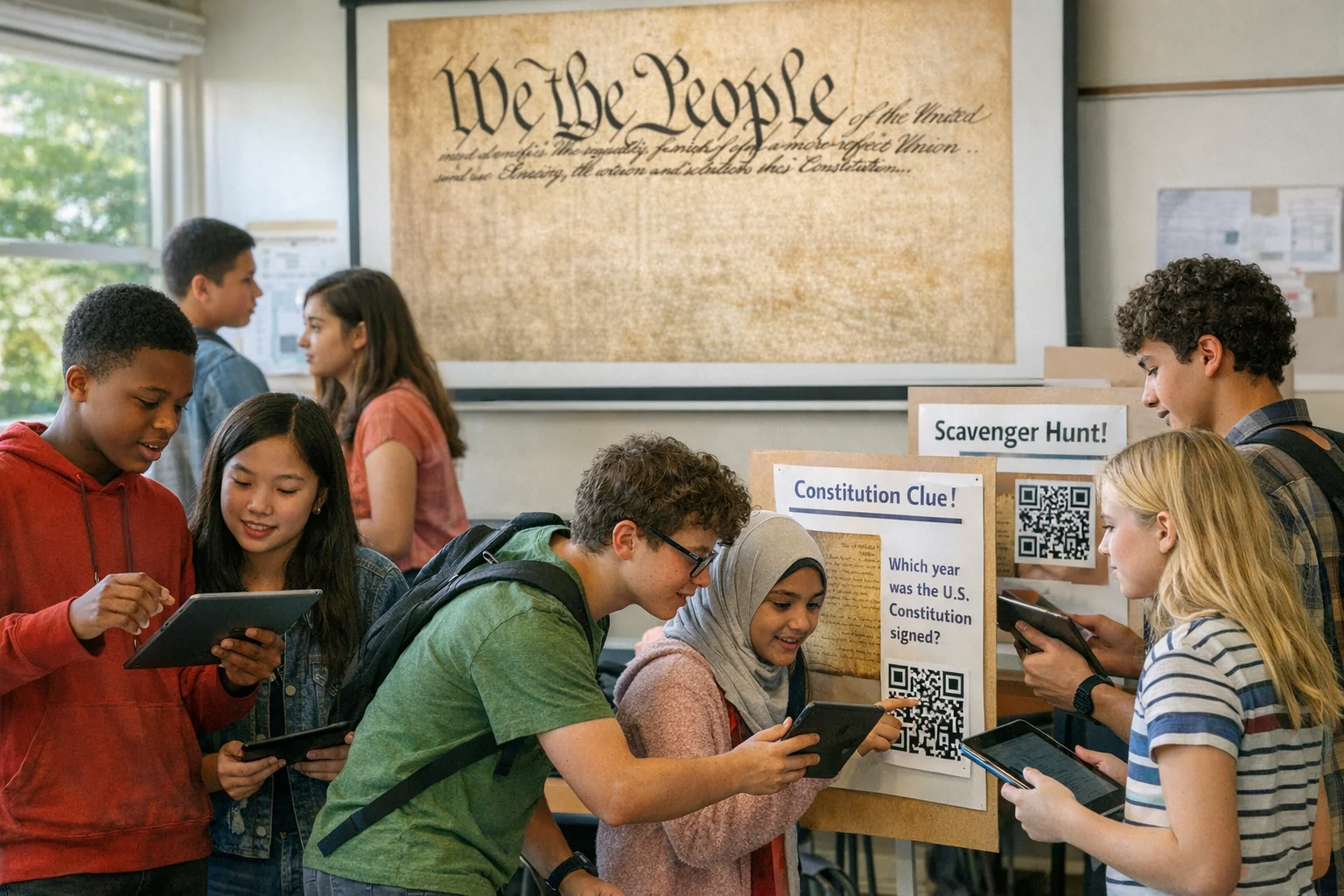
Classroom scavenger hunts turn passive lessons into active learning. Done well, they blend movement, curiosity, and accountable tasks that surface actual understanding. They can be paper-only, QR-powered, or fully app-based. The trick isn’t cute clues. It’s aligning challenges to what you need students to know and making evidence of learning obvious.
At a Glance
- Anchor to outcomes. Start with 1–3 clear learning targets and design every clue to check them.
- Mix challenge types. Photo, Q&A, QR, GPS check-in, multiple choice. Variety keeps energy honest.
- Bake in feedback. Quick self-check keys, peer validation, or auto-scoring tighten the loop.
- Design for access. Offer alternatives to reading, writing, and phone use so everyone can play.
- Capture proof. Save photos/answers to review. Use it for retrieval and reflection later.
Why classroom scavenger hunts work
A pattern we keep seeing: the second students start searching with purpose, they talk more specifically and remember more later. That’s not magic. It’s retrieval practice and immediate relevance working together. Research across K–12 shows retrieval boosts learning across conditions and subjects. A systematic review found the vast majority of effect sizes favored retrieval over passive review. See the summary of applied school research in Educational Psychology Review. (link.springer.com)
Hunts also invite authentic evidence. When a group explains why a station card is a simile, or records a photo of erosion in the school courtyard, you’re seeing understanding in the wild, not just on a worksheet. Edutopia’s classroom examples show how playful assessments, including scavenger-style tasks, can be real assessment, not fluff. One art teacher even builds unit-specific scavenger hunts to surface techniques students notice. Read the classroom snapshot in this Edutopia piece on end-of-year assessments. (edutopia.org)
Design principles that make hunts land
- Start with outcomes. Write 1–3 “By the end, students can…” statements. Everything else flows from these.
- Design for access first. Use multiple ways to represent info, express answers, and engage. The UDL Guidelines from CAST are a clean, practical lens for this. Build alternatives before you need them. (udlguidelines.cast.org)
- Make evidence visible. Decide what counts: a photo, a short explanation, a multiple-choice selection, a QR check-in. If you can’t see it, you can’t assess it.
- Right-size friction. Clues should be solvable with effort. If students stall more than 60–90 seconds at a spot, the clue is doing too much.
- Tight feedback loops. Post mini-keys at stations, pair groups for peer-checks, or use auto-validation in an app. Momentum matters.
- Build natural movement paths. Avoid traffic jams. Stagger starting points, color-code routes, or create “choose any 5 of 8” menus.
Formats that fit your room, subject, and time
- Station Rotation: Cards or QR codes around the room. Groups rotate and record evidence.
- Riddle Chain: Each answer unlocks the next location. Great for narrative flow.
- Gallery Walk Hunt: Students critique artifacts, posters, or models, collecting examples that fit criteria.
- Photo Evidence Safari: Find real-world examples of concepts; submit annotated photos.
- Desk Dash: Clues hidden at student desks or materials bins. Fast, tidy, 10–15 minutes.
- QR Quick-Checks: Students scan to reveal prompts, media, or branching hints. Most phones scan QR codes natively; ISTE notes this is a straightforward on-ramp for mobile learning. See their practical guidance on using student smartphones, including QR codes. (iste.org)
Step-by-step planning (with timing cues and tips)
- Clarify targets. Pick 1–3 outcomes. Write success criteria in student language.
- Draft 6–10 prompts. Mix types to include quick wins and deeper reasoning.
- Place and path. Map stations to reduce bottlenecks. Give different groups different starts.
- Materials. Print station cards, create QR links, prep any manipulative or safety notes.
- Access options. Offer non-phone alternatives, audio versions of text, and visual supports.
- Scoring approach. Decide on completion points, accuracy points, and 1–2 bonus “stretch” items.
- Run of show. Brief rules, model one example, set a visible timer, circulate, checkpoint at halfway.
- Close. Fast debrief: 2-minute pair talk, 2–3 whole-group highlights, exit ticket.
Classroom-ready scavenger hunt ideas by grade band
These are plug-and-play. Adjust vocabulary and complexity to fit your standards.
Elementary (K–2)
- [Photo | 20 pts]: Find two shapes hiding inside one classroom object.
- [Q&A | 20 pts]: Which word rhymes with “cat” on the word wall?
- [QR Code | 30 pts]: Scan for an animal sound, match to the correct picture.
- [Multiple Choice | 20 pts]: Which station shows a living thing’s need? Circle one.
- [Photo | 30 pts]: Show a pattern of three colors repeating in our room.
Elementary (3–5)
- [Q&A | 30 pts]: Solve a perimeter riddle posted under one desk.
- [Photo | 40 pts]: Capture an example of a fraction in real life.
- [QR Code | 30 pts]: Scan a short text; identify the main idea in 7 words.
- [Multiple Choice | 20 pts]: Choose the correct simple machine pictured.
- [Video | 40 pts]: Explain why one solution strategy is more efficient.
Middle School
- [Photo | 40 pts]: Evidence of potential vs kinetic energy on campus.
- [Q&A | 30 pts]: Translate the hallway poster’s slogan into Spanish.
- [QR Code | 30 pts]: Watch a 20-second clip; classify propaganda technique.
- [Multiple Choice | 20 pts]: Identify the function that fits this graph snapshot.
- [Video | 50 pts]: Debate which source is more credible and why.
High School
- [Q&A | 40 pts]: Derive the slope from two given points at Station 6.
- [Photo | 40 pts]: Find a real-world example of an isosceles triangle.
- [QR Code | 30 pts]: Scan primary source; note author’s claim in 12 words.
- [Multiple Choice | 30 pts]: Classify reaction type from the lab photo evidence.
- [Video | 60 pts]: Defend a thesis about symbolism in a posted poem.
Subject-specific challenge ideas
Math
- [Q&A | 30 pts]: Which station’s figure has the greatest area-to-perimeter ratio?
- [Photo | 30 pts]: Find symmetry in architecture near our room.
- [QR Code | 40 pts]: Solve the two-step equation revealed after scanning.
- [Multiple Choice | 20 pts]: Choose the correct net for the 3D solid shown.
- [Q&A | 40 pts]: Rank four decimals from least to greatest; justify.
Science
- [Photo | 30 pts]: Show evidence of the water cycle on campus today.
- [QR Code | 40 pts]: Scan for a short animation; label the cell part.
- [Multiple Choice | 20 pts]: Identify independent vs dependent variable at Station 3.
- [Video | 50 pts]: Model particle motion for a phase change.
- [Q&A | 40 pts]: Explain why the control group matters in this poster.
ELA
- [Q&A | 30 pts]: Paraphrase a complex sentence from the bulletin board text.
- [Photo | 20 pts]: Capture a text feature and say how it aids comprehension.
- [QR Code | 40 pts]: Scan to hear a passage; infer tone using two words.
- [Multiple Choice | 20 pts]: Identify the sentence with parallel structure.
- [Video | 50 pts]: Perform a 15-second reading showing mood shift.
Social Studies
- [QR Code | 40 pts]: Scan a map; predict trade routes with two reasons.
- [Q&A | 30 pts]: Classify a posted source as primary or secondary.
- [Photo | 30 pts]: Find an artifact replica and connect it to a theme.
- [Multiple Choice | 20 pts]: Identify the economic system in a scenario card.
- [Video | 50 pts]: Argue which reform had the most lasting local impact.
Arts
- [Photo | 30 pts]: Capture complementary colors in student work.
- [Q&A | 30 pts]: Name the technique used in the displayed sketch.
- [QR Code | 40 pts]: Scan to hear a riff; identify the time signature.
- [Multiple Choice | 20 pts]: Choose the medium used in the sample piece.
- [Video | 50 pts]: Explain how negative space guides the viewer’s eye.
Virtual, hybrid, and low-tech options
- Paper-first: Station cards, answer sheets, and a bucket for quick checks. Works without devices.
- Slide-based: Link challenges inside one deck. Groups navigate and submit in comments.
- QR micro-hunts: Each scan reveals a bite-size prompt. Most cameras read QR codes natively, a simple way to add media or branching hints, as noted by ISTE’s practical smartphone guidance. See this advice on using smartphones and QR codes for learning. (iste.org)
- Photo threads: Students upload labeled photos to a shared folder or app for instant gallery walk.
- Asynchronous routes: Offer a “choose any 5 of 10” menu students complete in chunks.
Scoring, assessment, and reflection
Good hunts feel like play and read like assessment. That means you can score lightly while still capturing understanding.
- Completion points plus accuracy. Award base points for completed tasks, then small bonuses for correct reasoning.
- Rubric light. Criteria like “Correctness,” “Evidence/Explanation,” and “Collaboration” keep it simple.
- Retrieval matters. Treat the hunt as a learning event. Then revisit a subset of items later to strengthen memory. Retrieval practice reliably beats passive review in school-based studies, improving learning across subjects and grade levels. See the applied-school synthesis in Educational Psychology Review. (link.springer.com)
- Reflection. Two-minute write: “One idea we nailed,” “One idea we refined,” “One surprise.”
Management, safety, and accessibility
- Clear lanes. Mark no-go zones. Stagger starts to reduce congestion.
- Noise norms. Set a target volume and a 10-second “freeze” signal.
- Roles help. Navigator, recorder, quality-checker. Rotate mid-hunt.
- No-phone paths. Always provide a paper-only route with equivalent tasks.
- UDL in practice. Provide audio versions of text, image supports, and choices in response mode. CAST’s UDL Guidelines offer concrete checkpoints for representation, action/expression, and engagement that map neatly onto hunt design. (udlguidelines.cast.org)
Tools that make it easier (including QR and apps)
You can run everything on paper and whiteboards. It still works. If you want auto-validation, photo evidence collection, and simple scoring, an app helps.
Scavify is designed for exactly this style of interactive challenge. In our experience, the wins are about challenge variety, automation for scoring and verification, ease of launch with templates, browser + app flexibility for mixed-device classrooms, and scale flexibility when you’re running a whole-grade hunt or campus orientation. Use it when you want to keep momentum high without juggling paper piles.
If you’re staying analog, QR codes are still useful for short videos, audio prompts, and branching hints. Most cameras scan them automatically, which keeps the tech footprint small. The practical overview on classroom smartphone use and QR codes from ISTE is worth a skim before you roll out. (iste.org)
Ready-to-copy station prompts (by concept)
Use these as-is or as templates.
Vocabulary and concepts
- [Q&A | 30 pts]: Define the term you draw using only non-examples.
- [Multiple Choice | 20 pts]: Which image does not fit this concept set and why?
- [Photo | 30 pts]: Find a real-world anchor for today’s vocabulary word.
- [QR Code | 40 pts]: Scan and match synonyms to nuance shades.
- [Video | 40 pts]: Teach the term to a future student in 20 seconds.
Evidence and explanation
- [Photo | 30 pts]: Document an example and annotate two evidence labels.
- [Q&A | 40 pts]: Explain which claim is stronger and what evidence makes it so.
- [Multiple Choice | 20 pts]: Choose which explanation best fits the observed data.
- [QR Code | 40 pts]: Scan a counterexample and revise your rule.
- [Video | 50 pts]: Show how your group resolved a misconception.
A simple launch template you can adapt today
- Learning targets: 2 lines in student language.
- Stations: 8 total; 3 quick checks, 3 applications, 2 stretch tasks.
- Materials: Station cards, answer sheets, QR links or short URLs, timers, markers.
- Groups: Triads; assign roles and rotate halfway.
- Scoring: 5 points complete, +2 accurate, +3 exceptional explanation.
- Debrief: 2-minute pair reflection, 3 share-outs, 1 exit ticket.
What usually shifts the dynamic
Small design choices change everything. Visible timers reduce drift. A halfway “checkpoint card” refocuses groups. Short, specific prompts beat clever but vague riddles. And when students know how their work will be checked right away, quality jumps.
If you want a published example of playful tasks holding real academic weight, this short showcase on game-based learning with built-in formative assessment offers useful framing that maps cleanly to scavenger hunts. (edutopia.org)
FAQs
What is a classroom scavenger hunt?
A structured set of learning challenges placed around a room, campus, or digital space. Students collect evidence, answers, or artifacts tied to clear outcomes. Formats range from paper-only to QR-enabled to full app support.
How long should a classroom scavenger hunt take?
Plan 10–20 minutes for a “Desk Dash,” 25–35 for a station rotation, and 40–50 when you want deeper explanations and reflection. Shorter with younger grades, longer with application-rich tasks.
Do I need student phones to run one?
No. You can run entirely on paper. Phones help with QR, photos, and auto-scoring, but always offer a paper path with equivalent tasks so participation isn’t device-dependent.
How do I keep things equitable and accessible?
Design with UDL in mind: multiple representations of information, choices in how students respond, and adjustable challenge levels. Provide audio for text-heavy prompts, visuals for complex instructions, and non-phone options for every task. The UDL Guidelines are a helpful checklist. (udlguidelines.cast.org)
How should I grade a scavenger hunt?
Lightly. Mix completion points with small accuracy bonuses. Use a simple rubric for correctness, explanation quality, and collaboration. Save some artifacts and revisit them later as retrieval practice to strengthen memory.
What if my students get too loud or off-task?
Set volume expectations up front and teach a quick “freeze” signal. Use staggered starts, mark no-go zones, and circulate with a visible timer. Roles help: navigator, recorder, quality-checker.
Can this work in a single subject like math or in cross-curricular units?
Both. The key is aligning each prompt to a target skill or concept and making evidence unmissable. Cross-curricular hunts often shine when they ask students to apply a concept in a new context.
Any real-world examples of hunts used for assessment?
Yes. Educators document classroom hunts and playful assessments that still carry academic weight. See this classroom snapshot of a unit-specific scavenger hunt in an art course in Edutopia’s end-of-year assessment ideas. (edutopia.org)