Solutions
Your first hunt, live this afternoon.
Free to start · No download for participants
Find easy scavenger hunt ideas, clues, and challenges for kids, families, classrooms, parties, and outdoor fun.
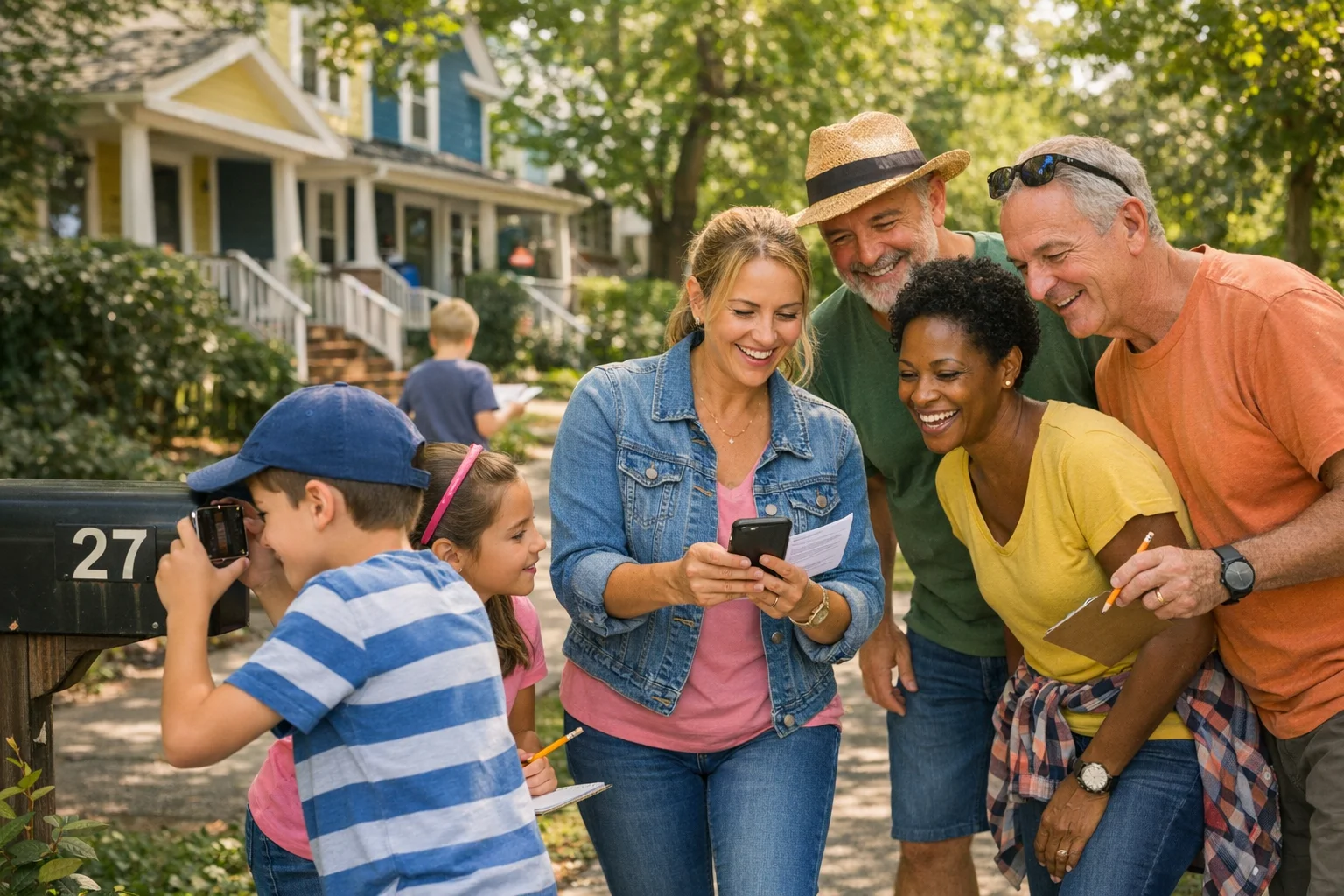
Neighborhood scavenger hunts turn a familiar block into a fresh game board. They’re easy to set up, scale to almost any group, and quietly deliver real benefits: movement, observation, and shared problem‑solving. This guide packages what consistently works on streets, cul‑de‑sacs, courtyards, and apartment corridors without turning your Saturday into project management.
A neighborhood hunt layers game mechanics onto a route people already trust. That lowers friction and raises participation. You’re not asking anyone to learn a venue or decode a map of a place they’ve never been. You’re asking them to notice new things where they live.
They’re also a tidy way to add movement. For kids, tying 30–60 minutes of light exploration to a simple mission helps meet daily activity needs without making it feel like exercise. The guideline for ages 6–17 is at least 60 minutes of physical activity a day, which a brisk, task‑based walk helps check off, especially when school isn’t in session. See the public‑health framing in this plain‑language summary from the CDC. Children and adolescents 6–17 should be active 60 minutes daily. (cdc.gov)
There’s also a learning upside. In education, scavenger hunts regularly show up in orientations and active‑learning designs because they get participants moving, noticing, and collaborating. A systematic review cataloged this pattern across higher‑ed contexts: hunts are a common, effective way to engage learners with places and resources. A systematic review of scavenger hunts in academic settings. (sciencedirect.com)
If you’ve got a free hour and a printer or phone, you’re five steps away.
1) Pick your loop. Choose a walkable 4–8 block loop with sidewalks and 3–5 anchors: the big oak, mailbox cluster, mural, corner store, park gate.
2) Set your duration. Aim for 30–45 minutes for kids and mixed ages, 45–60 minutes for teens/adults. Keep the loop compact so time goes to tasks, not transit.
3) Draft 10–12 tasks. Mix formats: photos, GPS/QR check‑ins, quick multiple‑choice, 1–2 riddles. Calibrate so every team can finish 70–90% in time.
4) Define proof. “Pics or it didn’t happen” works. Add 1–2 objective check‑ins (QR at the park sign, GPS at the gazebo) to reduce scoring gray areas.
5) Print or publish. One page works for paper. For digital, any shared doc or an app gives you auto‑timestamps and a live feed.
Below are field‑tested sets you can copy, tweak, and run this weekend. Each set mixes task types to keep energy steady.
Rhyme with purpose. Riddles work when the clue points to one obvious thing once solved. Over‑poetic clues stall teams. Keep it tight.
Directional nudges beat vague maps. “From the mural, face the grocery, walk 40 steps to the second lamppost.” People like turning their bodies, not rotating mental compasses.
Micro‑mysteries. Hide a QR under a bench slat. Place a tiny sticker at knee height on a lamp base. Make players look at familiar objects differently.
Ciphers, lightly. One simple substitution or acrostic is plenty. For mixed ages, use a key hidden in plain sight on the handout.
Multiple‑choice reveals. When a clue might have two plausible answers, follow with a quick multiple choice to keep the debate short and the game moving.
The fastest way to ruin a good neighborhood game is to turn it into a traffic hazard. Pick routes with sidewalks and crossings, prioritize daylight, brief everyone on safe walking habits, and steer clear of private property.
Useful framing for group reminders is widely available from road‑safety agencies. Two points to hit every time: use crosswalks and, where there’s no sidewalk, walk facing traffic. The basics are simple to say and easy to forget in the excitement. Share a pre‑start safety list pulled from authoritative guidance like these summaries of pedestrian best practices. Pedestrian safety tips from NHTSA. (nhtsa.gov)
For permissions, confirm your HOA or building guidelines, and give a heads‑up to the corner store if you’re routing teams past their entrance. If you’re placing temporary QR codes or clue stickers, use painter’s tape or non‑residue adhesives and remove everything when you’re done.
For accessibility, build “choose‑your‑path” tasks. Example: a GPS check‑in at the park gate worth 20 points and an alternative Q&A from a bench nearby worth the same.
Points that mean something. Assign 15–40 points by difficulty, not by format. A short photo is often easier than a well‑hidden QR or a two‑step riddle.
Visible progress. A live leaderboard or a simple progress grid on paper keeps teams from bunching up at the end. Momentum drives morale.
Timebox smartly. Finite time beats fixed list. End while the energy is up. The last 5 minutes should feel like a fun sprint, not a slog.
Ties without drama. Use a nearest‑time tiebreaker to a hidden timestamped task. Or ask a single lightning question to all tied teams at once.
Judge lightly, verify cleanly. Photos with context (teammates plus object) resolve most disputes. GPS or QR confirmations lock down the rest.
You can run a neighborhood hunt on paper. It works. Photos are the only wrinkle, and group texts get messy fast.
An app tightens the loop: mobile checklists, auto‑verified photo/video tasks, GPS check‑ins, QR scans, and live scores. For bigger groups or recurring events, that automation holds a hunt together while you focus on experience design. Scavify supports exactly this style of neighborhood play: photo/video proof, instant scoring, QR and GPS tasks, and an activity feed that keeps momentum visible for families, HOAs, schools, and apartment communities.
If you prefer a low‑tech approach, use a shared cloud folder for submissions and a volunteer scorekeeper. Just budget more buffer time.
If teams stall early: Seed two quick‑win tasks near the starting area so confidence builds before the first riddle.
If routes bunch up: Offer 2–3 equivalent tasks at different anchors so teams naturally disperse.
If weather flips mid‑game: Keep two optional “anywhere” tasks on the list. A creative video and a trivia Q&A let teams finish under shelter.
If energy dips at the 20‑minute mark: Drop a surprise flash task worth 10 points to all teams. Make it playful and fast.
If you’re worried about phones: Set a simple policy up front. Heads up at crossings, cameras away while moving, and quick regroup rules. Many schools and safety groups are pushing back on distracted walking for a reason. A short reminder helps. Guidance on avoiding distracted walking. (nsc.org)
A neighborhood hunt doubles as an outdoor lab when you connect it to content. We’ve seen teachers cue short reflections at anchors, then pull those observations back into class. Education resources often point to community‑based hunts as a practical way to build collaboration and belonging, especially early in the year when norms are forming. Outdoor team scavenger hunts can build collaboration and classroom community. (edutopia.org)
If you’re onboarding new students or families to a campus or district, a scavenger hunt remains one of the most reliable, low‑overhead ways to help people find their footing. Even in higher‑ed libraries and orientations, it shows up year after year because it works. Evidence that scavenger hunts are a common engagement tool in orientations. (sciencedirect.com)
Use these as plug‑and‑play templates. Swap street names and anchors.
Most groups do well with 30–60 minutes. Shorter for young kids, slightly longer for teens and adults. The sweet spot is when a few tasks remain unclaimed at the buzzer and teams want one more minute.
Plan 10–12 tasks for a 45‑minute window. More than 15 usually spreads attention thin. It’s better to offer a couple of optional “bonus” tasks than to overload the list.
Choose routes with sidewalks and marked crossings, brief basic walking rules, and use a buddy system. Where there’s no sidewalk, have teams walk facing traffic. Keep clues off private property. A short pre‑start talk plus visible vests for volunteers goes a long way. For reference, see national walking safety briefs. Pedestrian safety basics. (nhtsa.gov)
Decide proof rules up front: photos with the object and at least one teammate, QR or GPS for 1–2 anchors, and auto‑points for multiple‑choice. Use a live leaderboard if possible. Tie‑breakers can be nearest‑time on a hidden timestamped task.
Set phone‑use zones and moments. Cameras out at anchors, away while moving. Adults hold devices for younger kids. The point is shared noticing, not screen time. Briefing against distracted walking is standard practice in school contexts for good reason. Tips for reducing distracted walking. (nsc.org)
They can. Educators use hunts to build collaboration, orient new students, and connect content to real places. Evidence reviews document their recurring use in academic settings because they reliably spark engagement. Research overview of hunts in learning contexts. (sciencedirect.com)
Yes. Paper works, plus a simple group‑text or shared folder for photos. For bigger groups or recurring events, an app can automate photo verification, QR/GPS check‑ins, and live scoring to keep things moving.
Add neighbor‑to‑neighbor prompts: “Find someone who’s lived here 10+ years,” “Trade names with a new family,” or “Snap a selfie with a volunteer.” These small social moments make post‑game conversations easy.
If you’re designing for a school, HOA, apartment community, or neighborhood business district and want repeatable hunts with automated proof and scoring, Scavify was built for this. It handles the mechanics so you can focus on writing better clues, spotting great anchors, and watching your block come to life.